Make every key sound like the bridge of the Enterprise — a clacky mechanical board, or an old typewriter. Now it also tracks how you type and stays out of your way when you need quiet.
New in 1.3
Keystroke Sounds now understands how you type and respects when you need silence — two upgrades that make it a tool you keep, not a toy you mute.
Insight
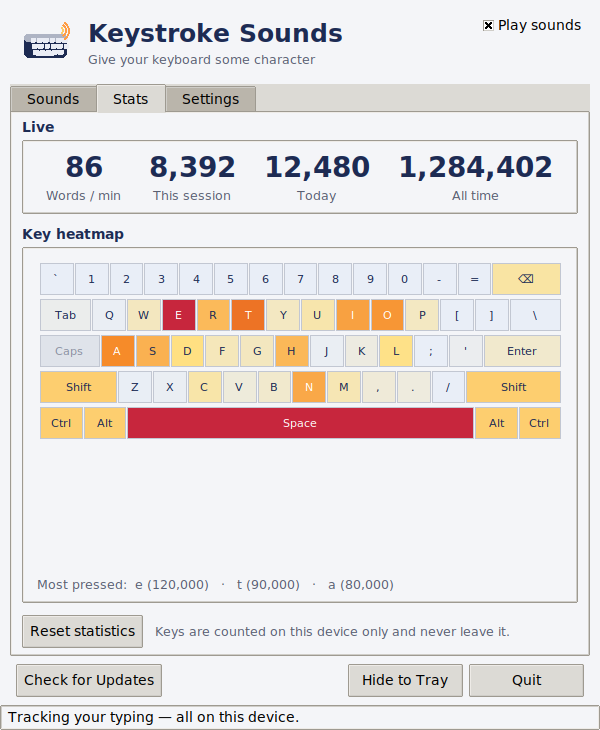
A new Stats tab turns your typing into a picture: watch your words-per-minute climb in real time, and see the whole keyboard light up cool → hot by how often you hit each key.
Control
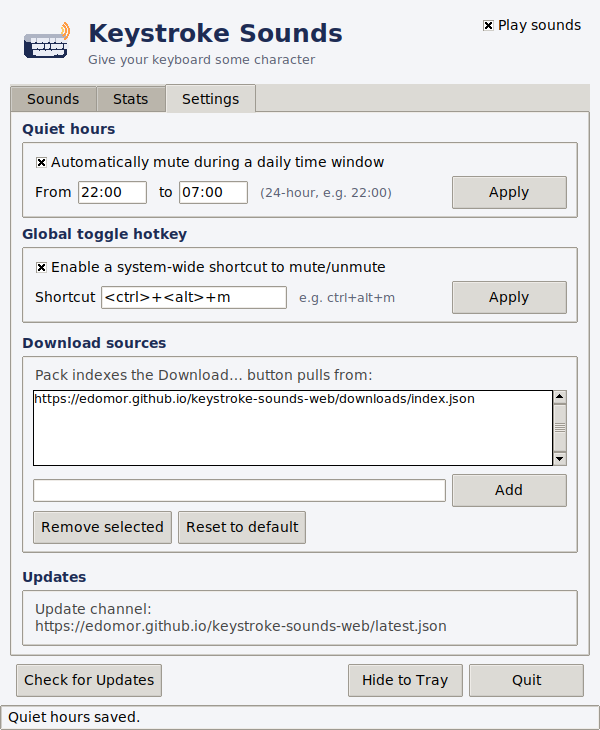
Keep the clacks for when you want them. Schedule automatic silence, or mute instantly from anywhere — without ever opening the window.
Letters spread across a sample pool, with distinct sounds for Space, Enter, Backspace, Tab and modifiers — so typing actually sounds good, not like one key on repeat.
Close or minimise and it tucks into the Windows taskbar arrow, playing quietly in the background across every app.
Build your own packs from any audio, swap sounds per key, or load a set from a link — your custom packs survive updates.
Live WPM, daily & all-time counts and a colour key heatmap — all tracked privately on your own machine.
Quiet-hours scheduling and a global mute hotkey keep things silent during calls, focus time or late nights.
One-click updates, plus a growing library of downloadable sound packs right inside the app.
Load any of these straight from the app's built-in pack browser — no license required to try them.
Marimba, Harp, Music Box, Kalimba and Vibraphone — warm, melodic taps for a calmer typing sound.
Rain, Water Drops, Wood Block, Bamboo and Pebbles — organic, textured clicks inspired by the outdoors.
Hologram, Force Field, Teleporter, Droid and Plasma — bleeps, zaps and warbles for a spacecraft-console feel.
Download the installer for free, then buy a license to unlock it. Secure checkout with card or PayPal — your key arrives by email instantly.
After buying: install, open the app, click License, and paste your key to activate.
The installer is free to download and try. Buying a one-time license unlocks the app permanently — there's no subscription.
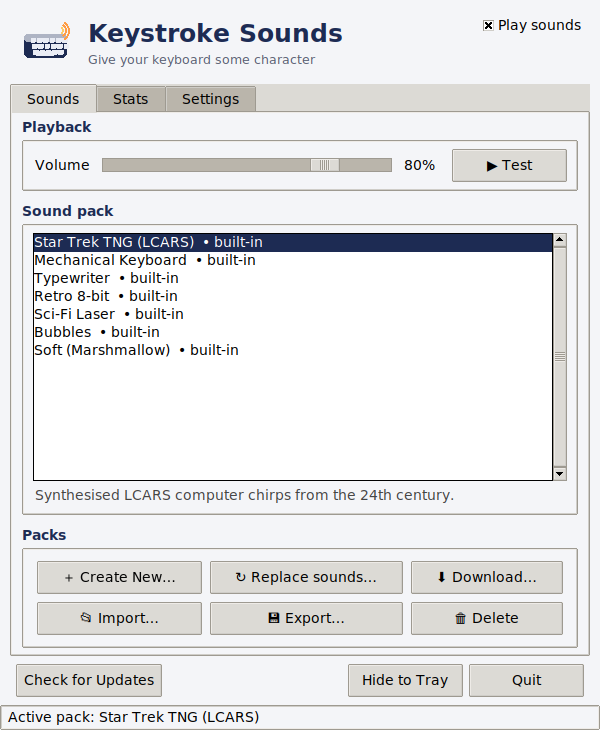
Star Trek TNG (LCARS), Mechanical Keyboard, Typewriter, Retro 8-bit, Sci-Fi Laser, Bubbles and Soft (Marshmallow) come built in. A free library of Musical, Nature and Sci-Fi packs can be downloaded from inside the app, and you can build your own from any audio files.
Yes. Close or minimise the window and it keeps playing sounds from the Windows system tray while you work in any application.
No. Words-per-minute, keystroke counts and the key heatmap are calculated and stored locally on your PC only, and you can reset them at any time.
Yes — set a daily quiet-hours window, or toggle sound instantly with the global mute hotkey (default Ctrl+Alt+M) from anywhere, even while the window is closed.
Keystroke Sounds runs on Windows 10 and Windows 11.
Questions, bug reports or feedback? Send a message below — it opens a public support ticket on GitHub that we follow and reply to.